MuralSignage
The information exists. The team just doesn't see it.
Paper on the wall, emails nobody opens, every department with its own board. MuralSignage brings it all together on screens the whole team sees.
The problem
People on the floor are not on email.
- Paper on the wall that nobody reads any more.→Content that changes by itself, every shift.
- Every department with its own board and USB stick.→One wall, with a space for each area.
- To change one number, the poster is redone.→Change the Excel file and every screen changes.
- An urgent notice takes too long to reach everyone.→It takes the whole wall, right away.
- Every store and centre with its own version of the same message.→Designed for shared content with room for each site.
The right message, on the right screen, at the right time.
The layouts
Four screens. One canvas.
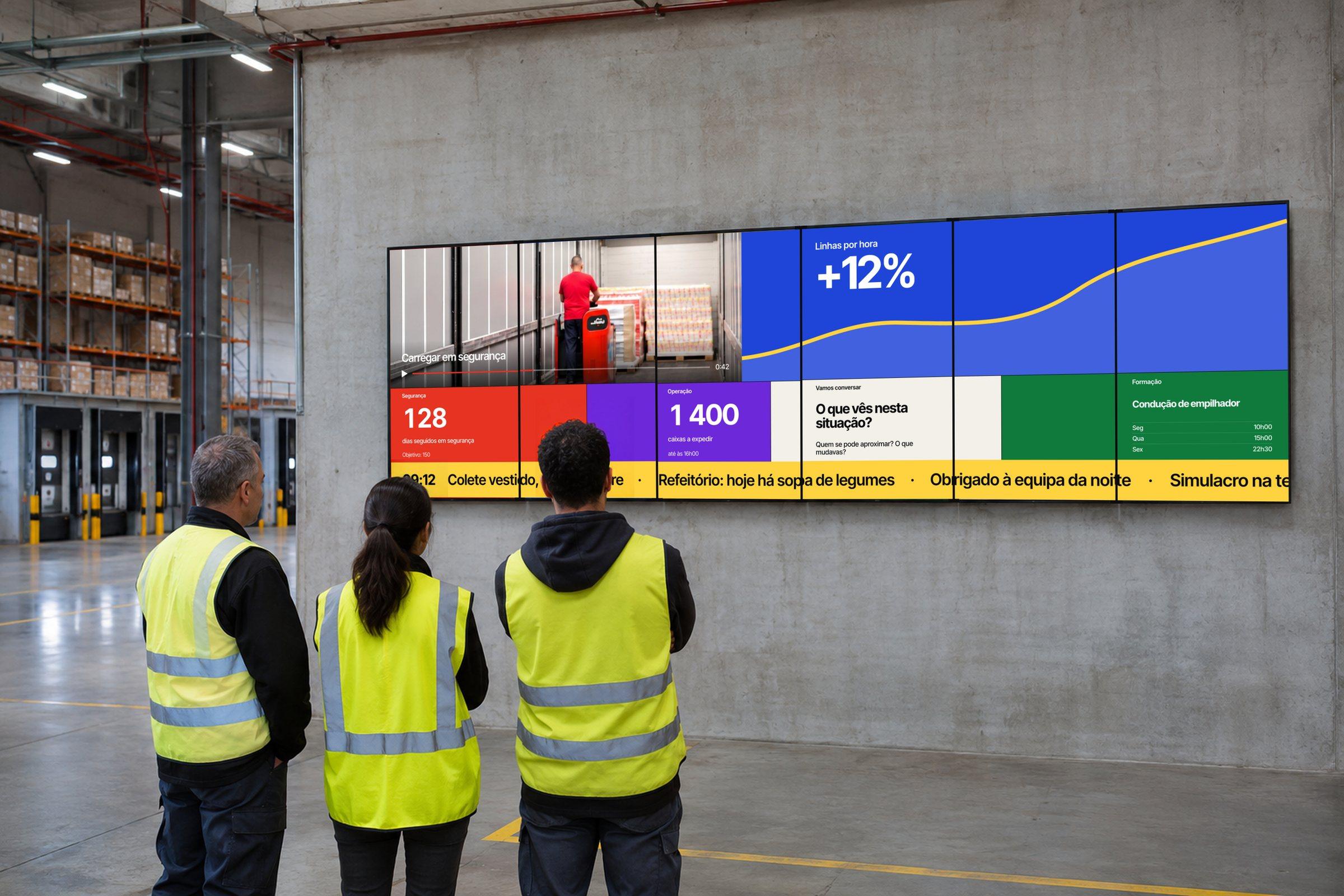
One screen does not have to mean one message. A film takes all four, rows and blocks come in any size, and information runs from end to end. Text in our templates avoids the joints.
Sample content
Across departments
Each area runs its own space.
Blocks have owners. Each department updates its own content, asks other areas for space and never breaks what belongs to others.
- Every block has an owner
- Each area only touches its own
- Ask another area for space and it approves
- The calendar is shared by everyone
The scenes
Every moment with its own scene.
The wall splits the way each moment needs. Pick a scene and watch it change.
Sample content
Create
Write it here. See it on any screen.
Pick a template, write and choose a colour. It adapts by itself to portrait, landscape, half a screen or the whole wall.
Plus video, images, PDF, carousels, scrolling lines, intranet and SharePoint pages.
The platform
Four steps. No coding.
It runs in the browser, with nothing to install. Templates come ready: pick one, write and see how it looks before it goes on screen.
- 1
Design
Pick a ready-made layout or split it your way.
- 2
Schedule
Drag the scene onto the day and the shift.
- 3
Create
Start from a template and change the text, colour or file.
- 4
Go live
Drag it onto the block, check it and save.
Drag it and it's done.
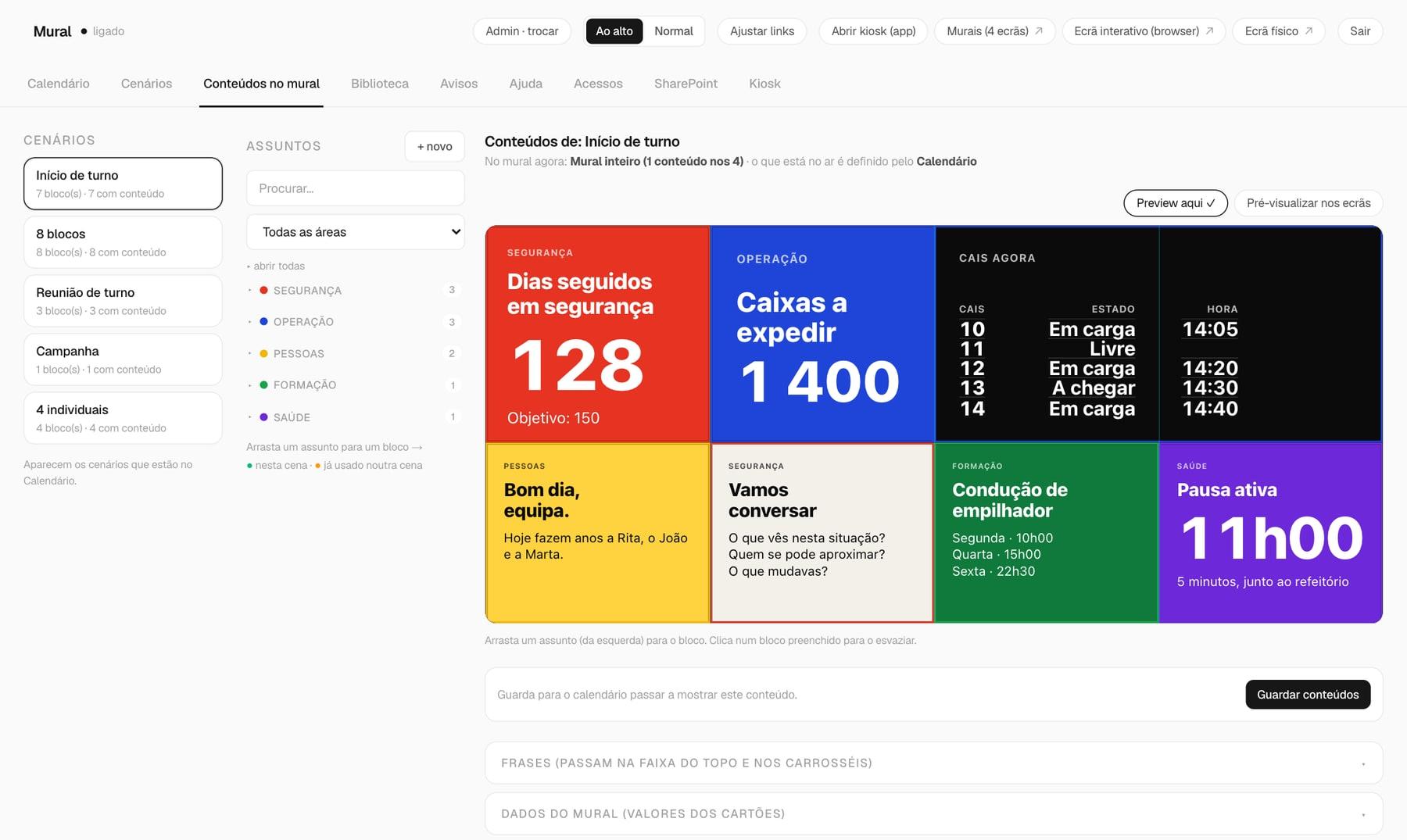
Pick the scene, drag the topic onto the block and see the wall as it will look.
The real screens, with sample content (interface in Portuguese).
The kiosk
One touch and it's on the wall.
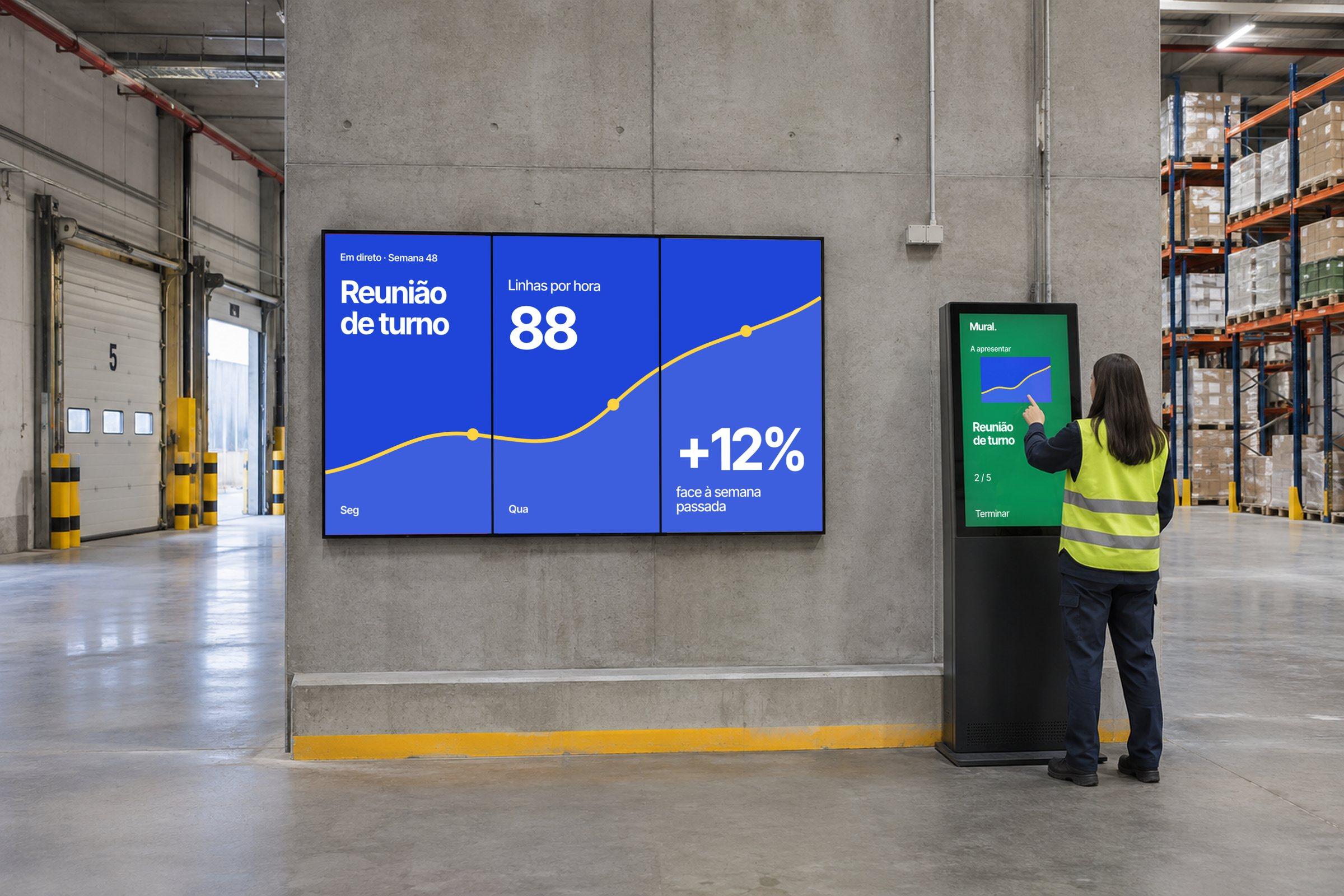
Next to the wall, a touch screen with one button per area. For shift meetings, finding a document or showing a file from a USB stick. Tap a button.
Mural.
What do you want to show?
- Buttons you design, with no coding
- Pages and documents for each area
- Files from a USB stick, not stored
- When it ends, the wall goes back
Live
One presentation. Everyone watching, right now.
Present from the kiosk and it appears on every connected wall, at the same moment. In the next room or in another building.
Mural.
Live at 3 sites
Every wall connected to the same system receives the presentation at the same time.
The calendar
Every shift with its own wall.
Drag a scene to the day and the shift. At the right time, it changes by itself.
On air · Mon 06:00 · Shift start
Where it shows
Right where everyone walks.
At shift start, in the corridor, in the canteen or behind the counter. The message is where the team already goes.
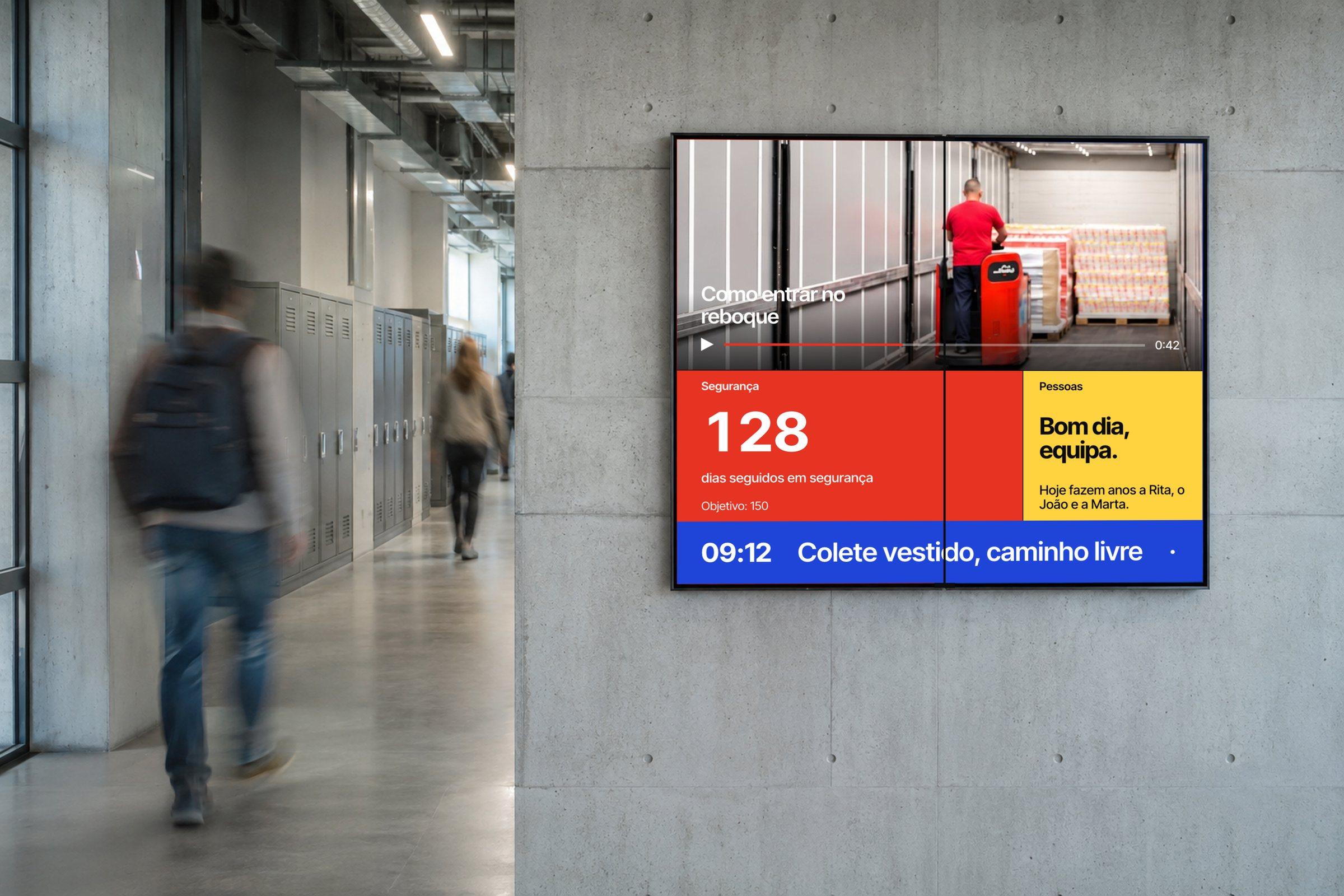
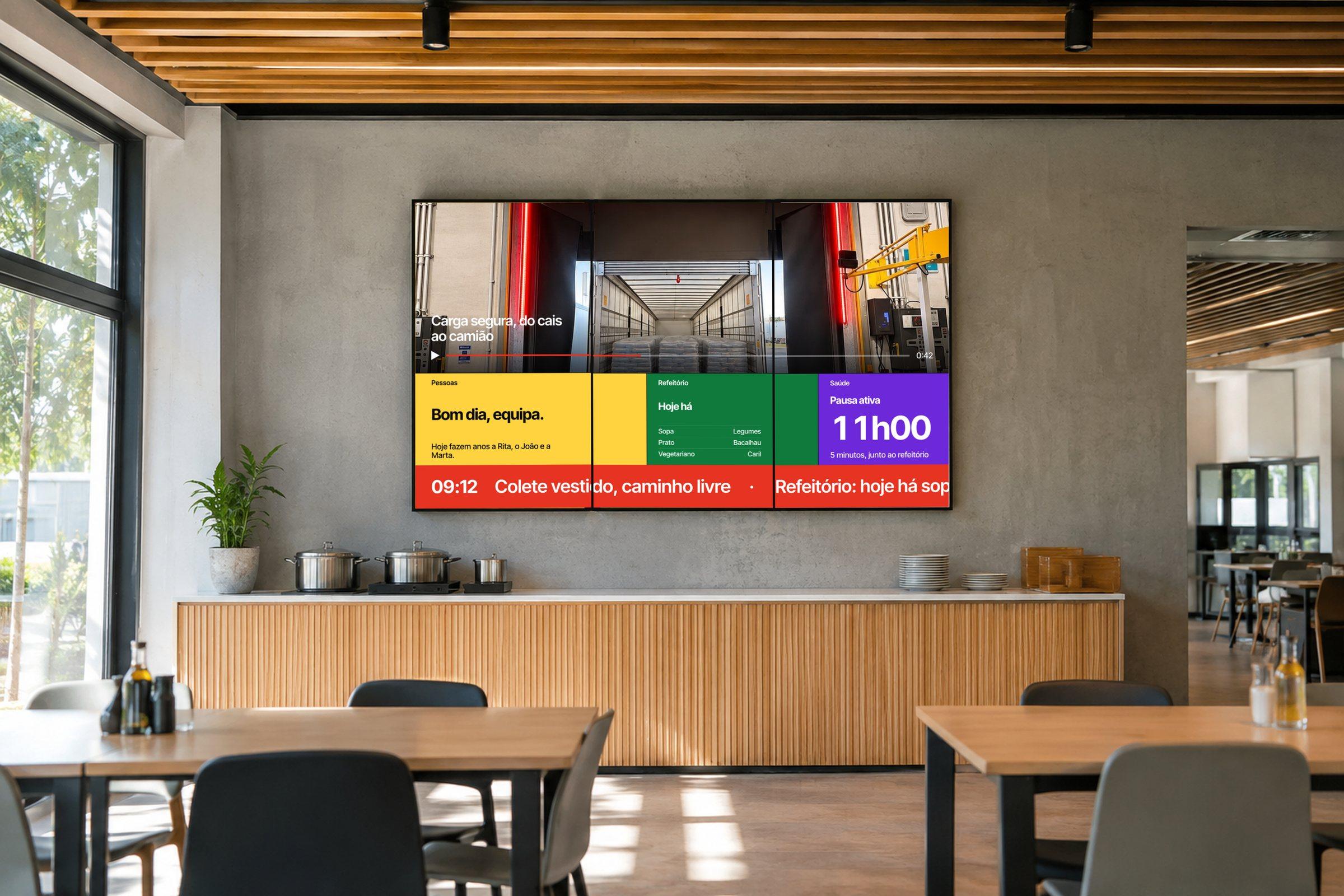
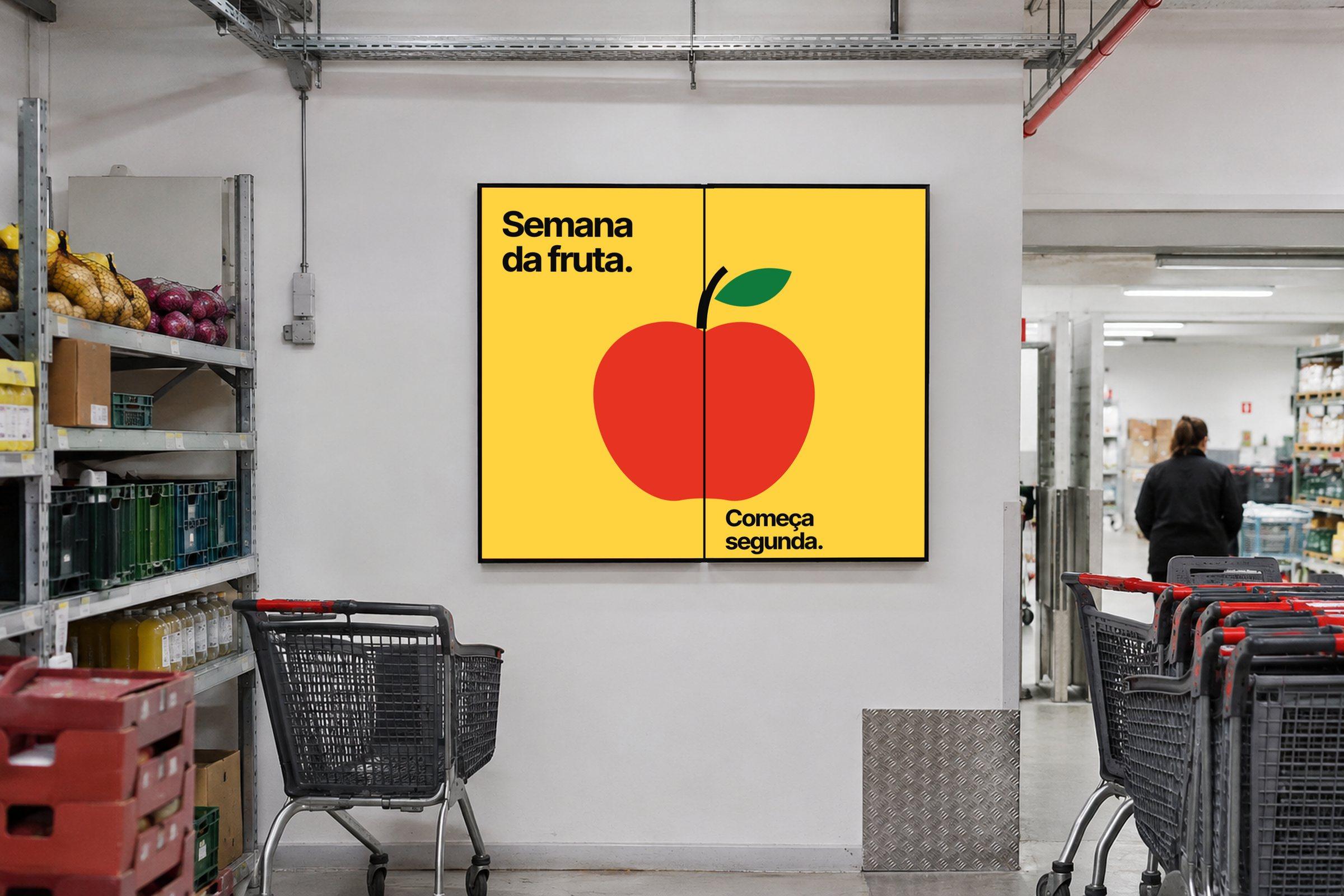
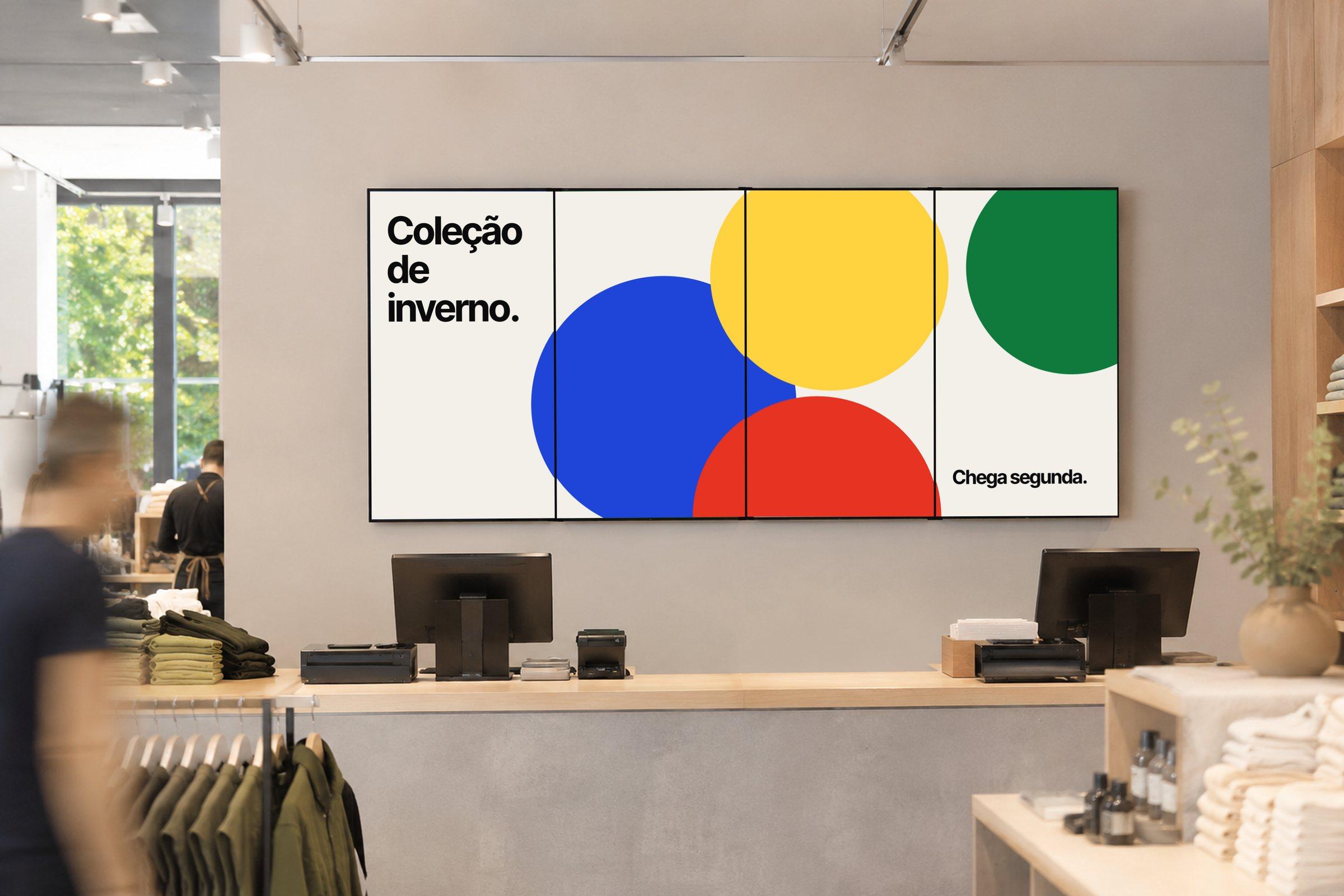
Illustrative image with sample content, in Portuguese.
The equipment
Software decides. The computer drives the wall.
A screen alone is not enough. Behind it there is a computer, an app and a server working together, so the wall opens and reconnects by itself.
The screens
Four televisions per wall, portrait or landscape. Each with its own rotation, with bezel compensation.
The wall computer
A single PC with four display outputs feeds all four screens.
The screen app
For Windows and Mac. It can start with the computer, reconnects by itself and keeps videos on disk so they play together across screens.
The touch screen
55 inches, on the same computer or another. What you touch is presented on the wall.
The server
On the client's network or online.
The back office
In any computer's browser, with access by area.
We take care of everything.
We buy the equipment, install it and leave it running. One contact, from the screen to the software.
- Screens and mounts
- The right computer and graphics card for the wall
- Installation and cabling
- Software setup and go-live
Pilot equipment: one wall of four screens and one touch screen.
MuralSignage and the alternatives
What no alternative brings together.
Paper does not change, a USB stick means walking to every television, signage software usually treats each screen separately and a controller joins the screens but does not organise the teams. Here it is all one system.
| Capability | MuralSignage | Paper and boards | TV with USB or PowerPoint | Signage software | Video wall controller |
|---|---|---|---|---|---|
| Four screens as one canvas | — | — | |||
| Rows and blocks that cross the bezels | — | — | |||
| Template text avoids the joints | — | — | — | — | |
| One computer for the whole wall | — | — | |||
| Every block run by its department | — | — | — | ||
| Ask another area for space | — | — | — | ||
| The wall changes by itself every shift | — | — | |||
| Present from the kiosk on the whole wall and go back | — | — | |||
| Show a file from a USB stick without sending it to the server | — | — | |||
| From Excel to the screen | — | — | |||
| Urgent notice on the whole wall, with an end time | — | — | |||
| Can run on the client's network | |||||
| Screens, computer, installation and software from one supplier | — | — |
● yes ◐ partial, or only in some products — not usually. Comparison by type of solution, with what usually comes as standard, November 2026.
The roll-out
From one site to the whole network.
Designed for four or five screens in each distribution centre and each store, all on the same platform. Content shared across the network and room for what belongs to each site.
Illustration of the network model. In the pilot: one four-screen wall and one touch screen.
What it brings
Made for people with no time.
From Excel to screen
Drop in the new file and tables and numbers change on every screen.
Numbers in one place
A value changed once updates every card that uses it.
Notices that end on time
From 15 minutes to 8 hours. Several notices take turns.
Nothing cut off
Whole texts, images and films in any format.
Portrait or landscape
Each display in its own position, on the same wall.
Access by area
Each person sees and edits only what is theirs.
Preview first
See how it looks, here or on the real screens, before it goes live.
On the client's network
It can run on the client's local network.
The people
Who makes this with us.
Sonae MC
- Abel PiresArea Coordinator · SST | Centro de Competências e Melhorias
- Fábio SoaresArea Coordinator · SST Logistics | People
- Rafael LopesSafety · SST | Centro de Competências e Melhorias
- Luís Carreira
Downloads
To take and share.
Brochures and presentations for each product, as PDFs.
MuralSignage
- Brochurecoming soon
- Presentationcoming soon
Projects
Got a similar project? Talk to us.
Tell us the problem. We reply with a pilot proposal.
Arcozelo · Vila Nova de Gaia · Portugal